728x90
반응형
SMALL
Flex & Grid
🔹 1. Flexbox (1차원 레이아웃)
특징
- 한 방향(가로 또는 세로)으로 정렬하는 데 최적화
- 아이템 간 간격, 정렬, 비율 조정이 쉬움
- 부모 컨테이너(
display: flex) 기준으로 자식들을 자동 정렬 - 반응형 디자인에 자주 사용됨 (특히 navbar, 버튼 그룹 등)
주로 쓰는 곳
- 네비게이션 바
- 버튼 그룹
- 카드 리스트
- 세로/가로 중앙 정렬
🔹 2. CSS Grid (2차원 레이아웃)
특징
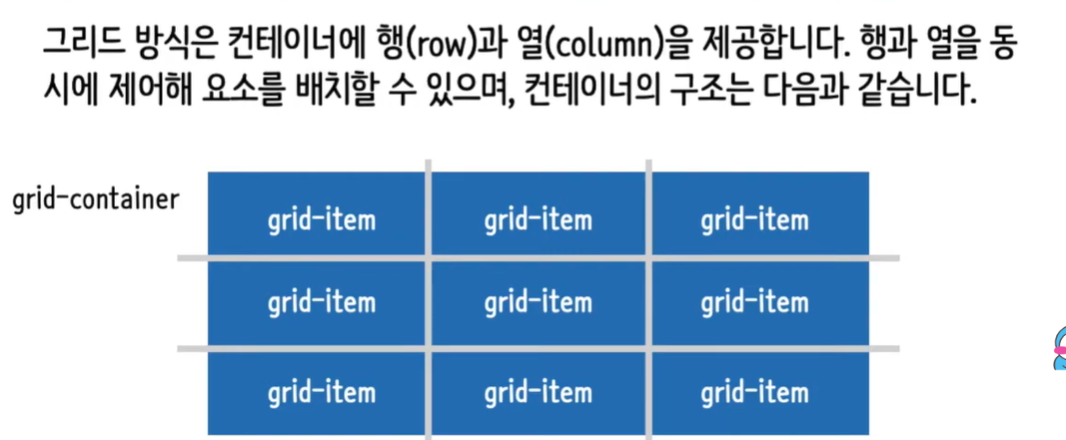
- 행(
rows)과 열(columns)을 동시에 제어 - 고정/유동 레이아웃 모두 가능
- 브라우저가 자동으로 아이템 배치
- 페이지 전체 레이아웃, 대시보드, 복잡한 구성에 강함
주로 쓰는 곳
- 전체 페이지 레이아웃
- 카드형 대시보드
- 갤러리/사진 배치
🔹 3. 실제 사용 비율 (실무 감각)
| 상황 | 주로 사용 |
|---|---|
| 메뉴바, 정렬, 버튼 | ✅ Flex |
| 카드/갤러리 레이아웃 | ✅ Grid |
| 페이지 전체 구조 | ✅ Grid + 부분적으로 Flex |
| 반응형 배치 조정 | ✅ Flex (wrap 등) |
| 복잡한 대시보드 | ✅ Grid |
실무에서는 Grid로 큰 틀을 만들고, Flex로 내부 정렬을 잡는 패턴이 많습니다.
예를 들어 👇
.page {
  display: grid;
  grid-template-columns: 250px 1fr;
}

.sidebar {
  display: flex;
  flex-direction: column;
  gap: 12px;
}
Flex
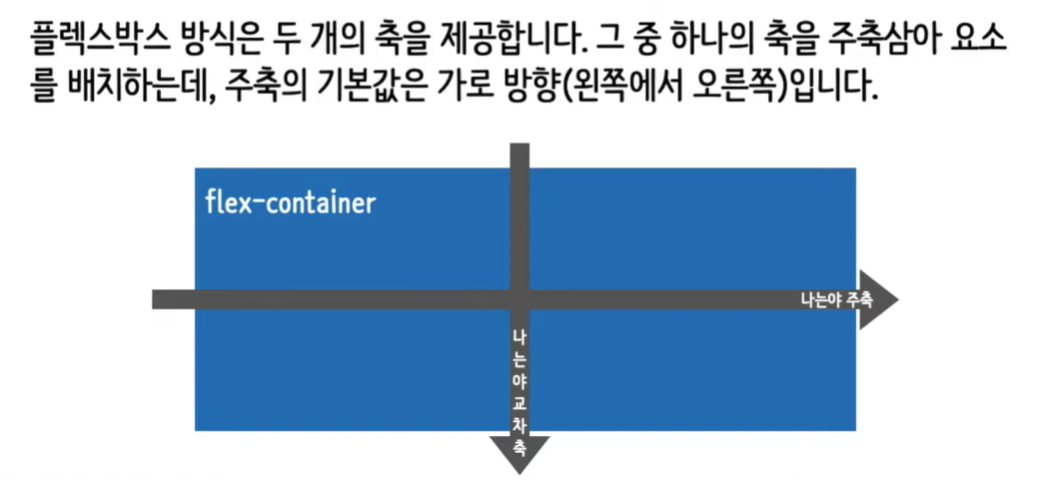
flex-wrap
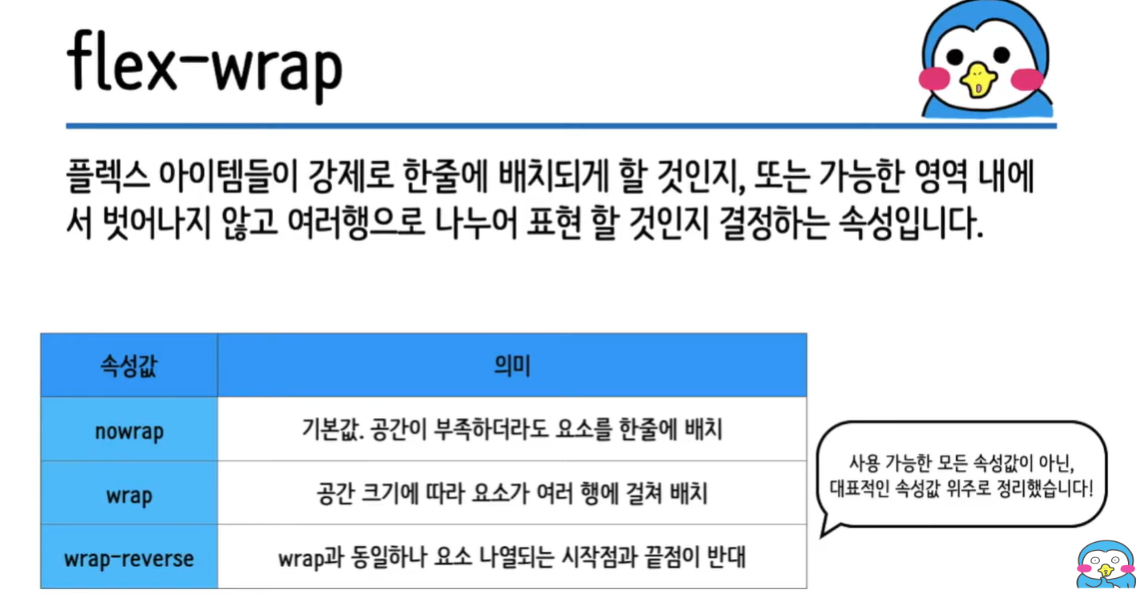
flex-direction

justify-content

align-items
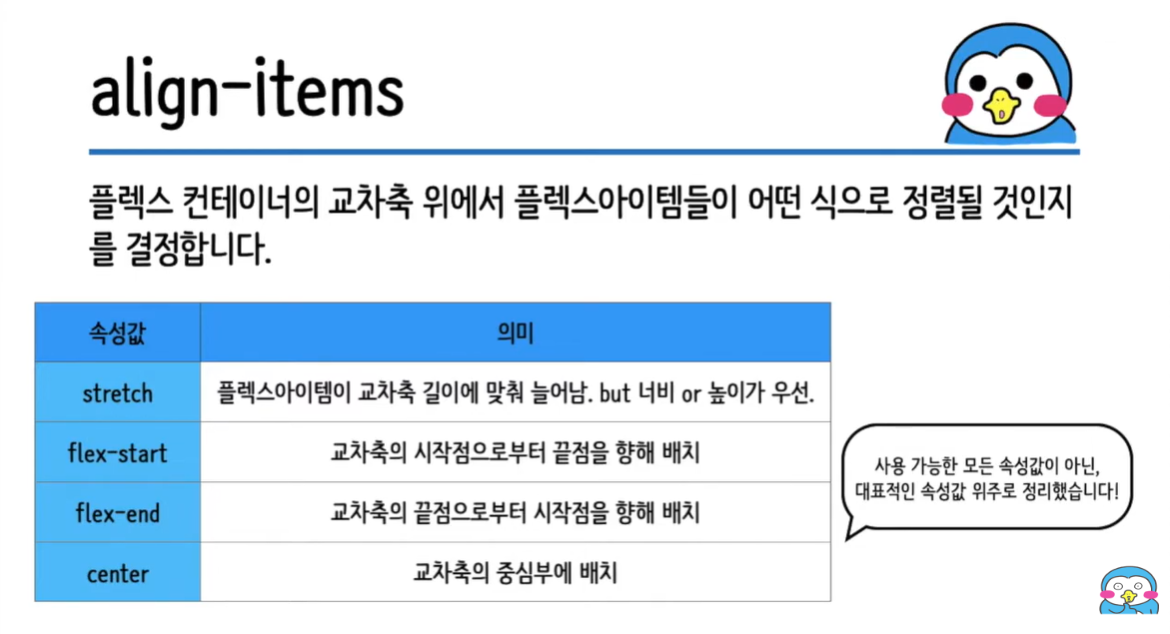
align-self
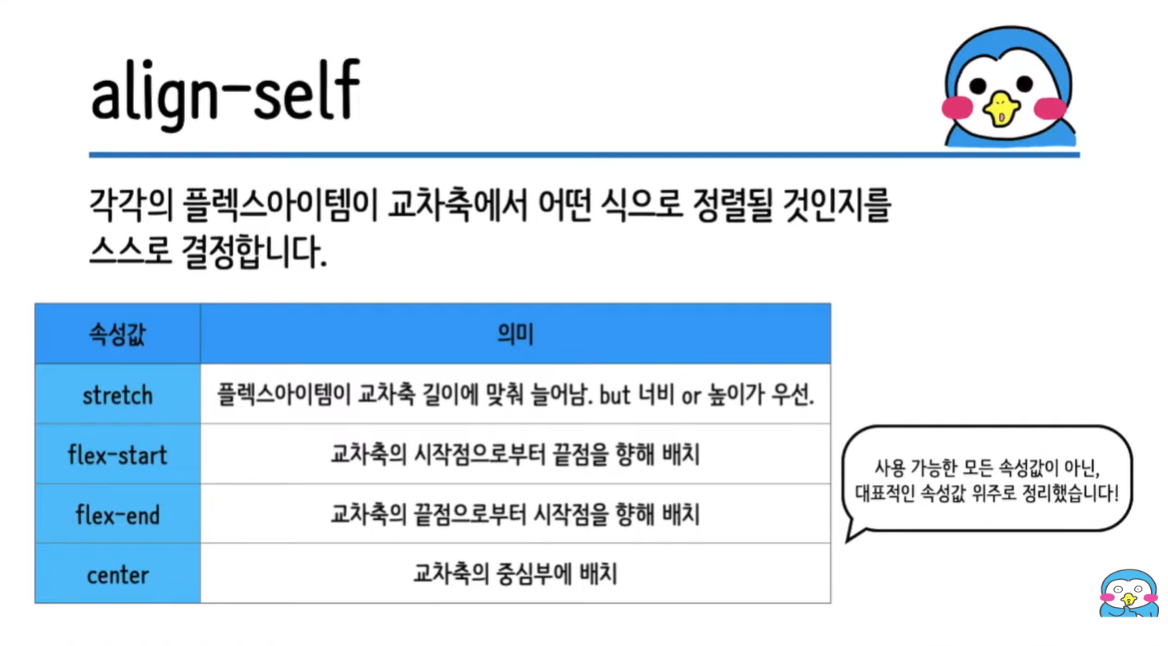
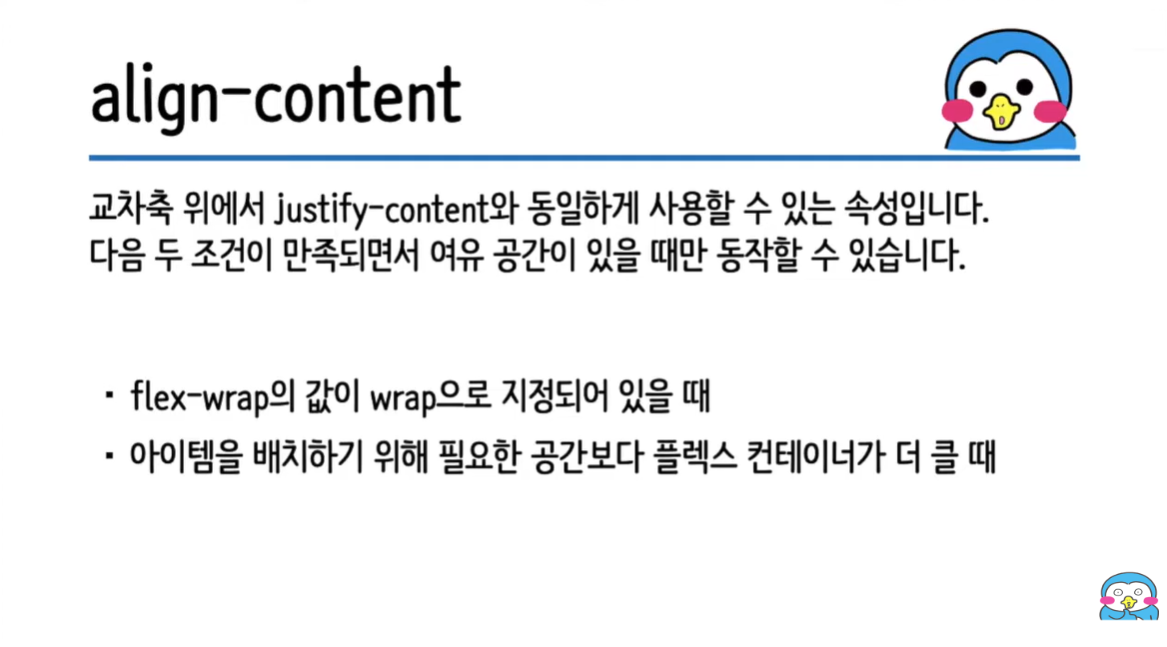
align-content
flex-grow

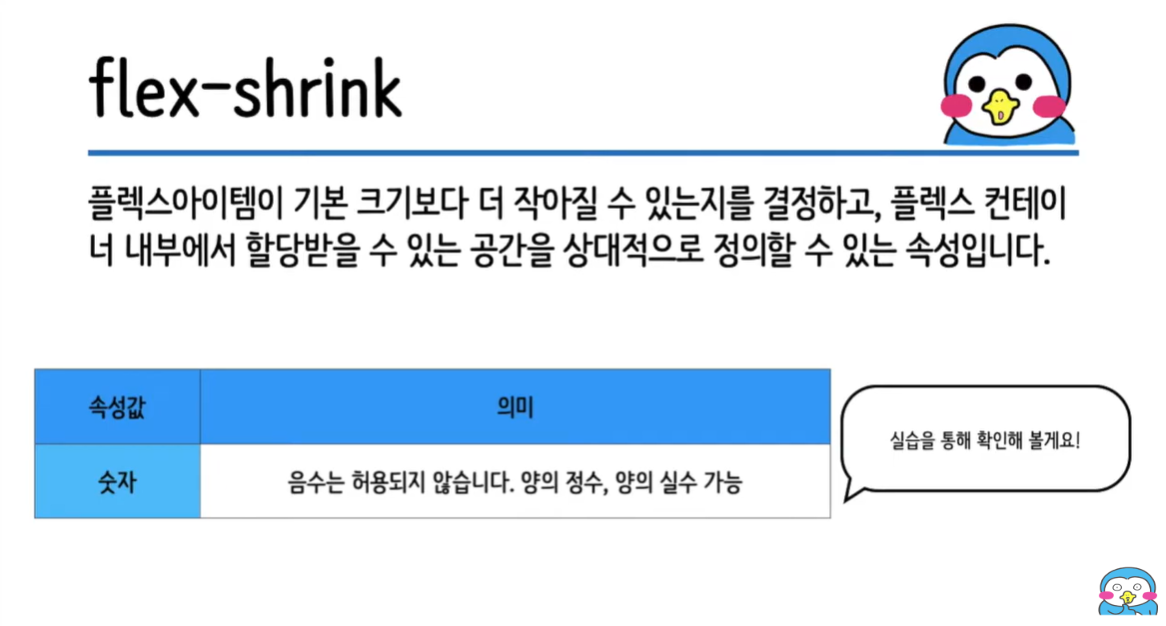
flex-shrink
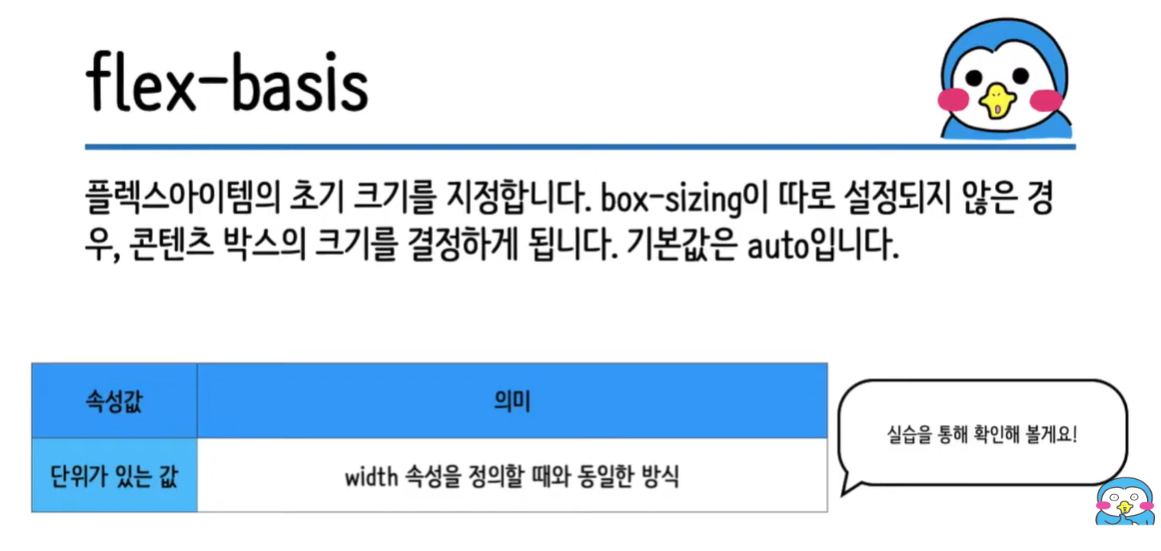
flex-basis
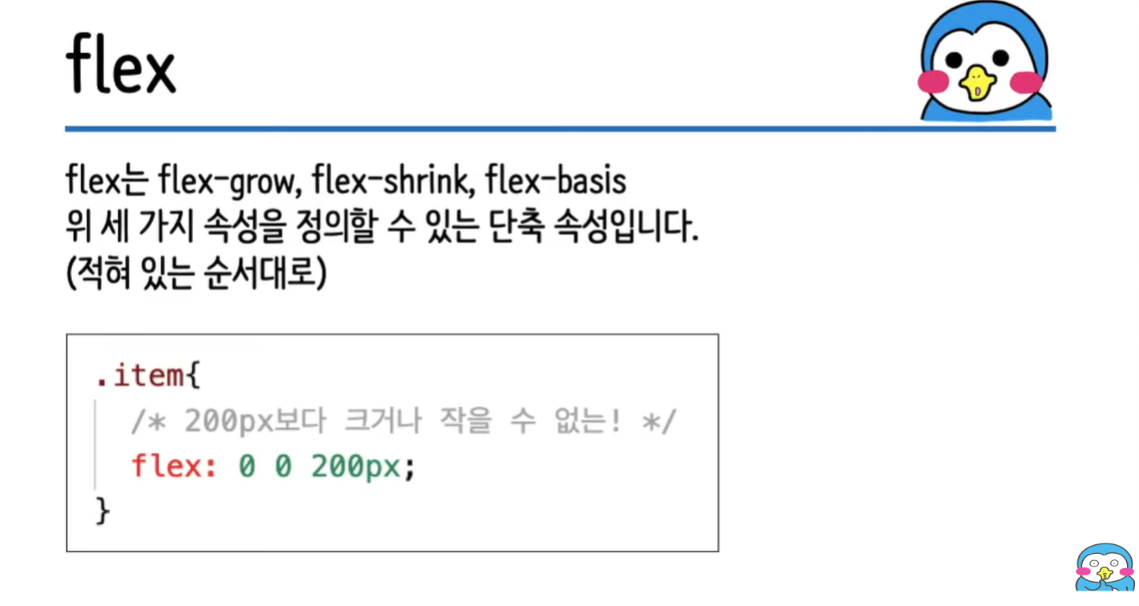
flex
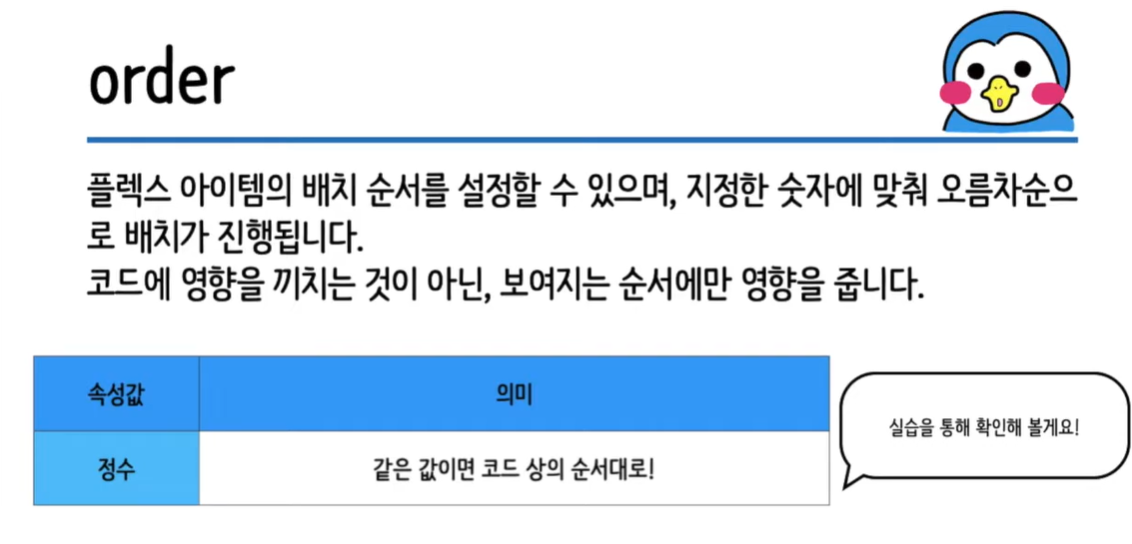
order
GRID
grid-template-columns
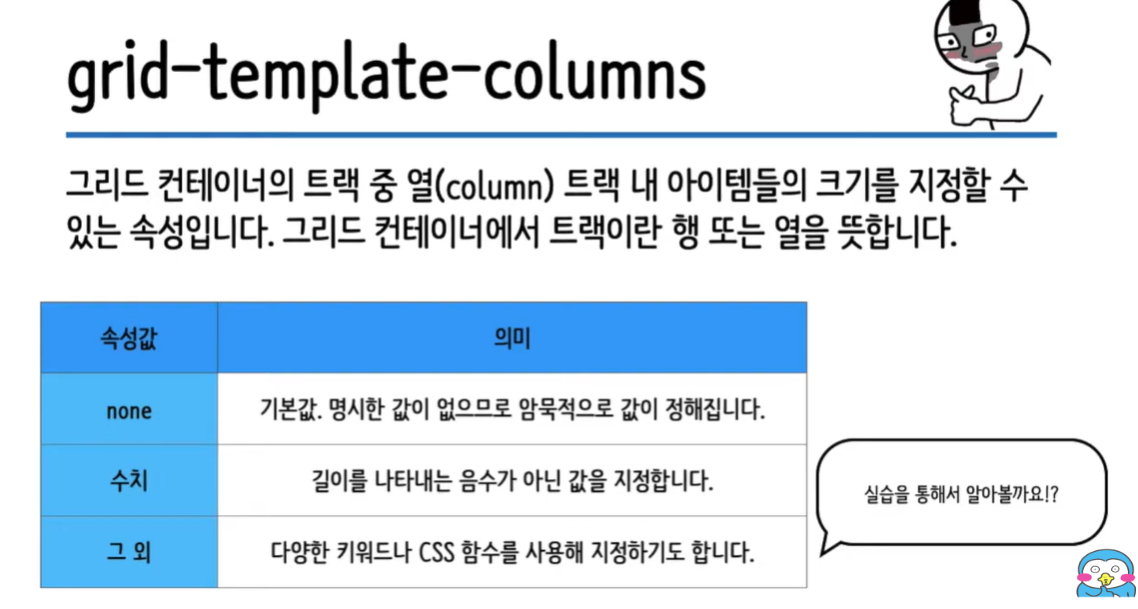
grid-template-columns: 100px 1fr; /* 첫번째열은 100px, 두번째열은 나머지 여백공간을 가득 채운다. */
grid-template-columns: 100px 100px 100px; /* 3번째 열까지 100px로 생성 */
grid-template-columns: 100px 100px; /* 2번째 열까지 100px로 생성 */
grid-template-columns: 10% 20% 30%; /* %로도 생성 가능 */
grid-template-rows
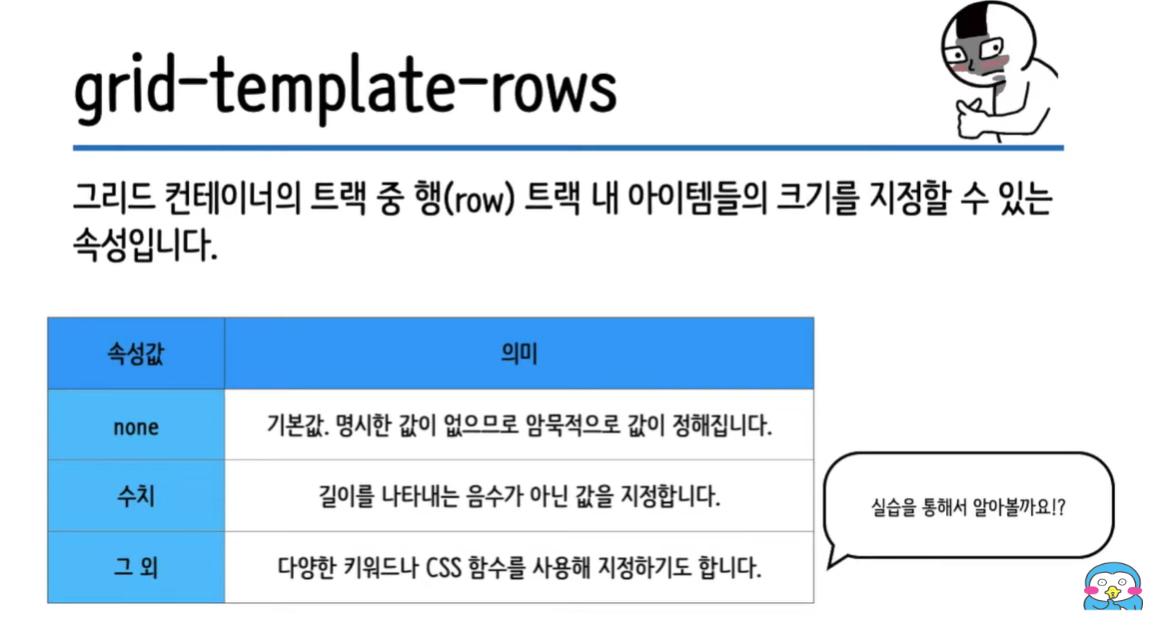
  grid-template-rows: 200px; /* 첫번째 행만 200px이다. */
  grid-template-rows: 200px 1fr 1fr 1fr 1fr;
gap
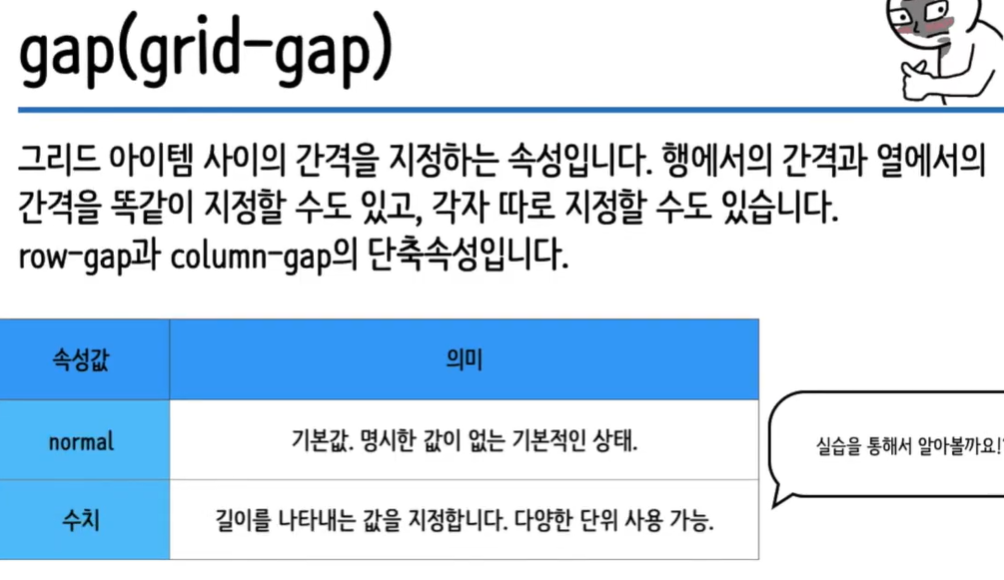
/* 서로 같은 의미 */
/* 선언이 1개일 경우 행,열 사이 간격 일괄적용 */
gap: 10px;
grid-gap: 10px;

gap: 10px 20px;/* 2개일 경우 [행 사이 간격], [열 사이 간격]*/
트랙 관련 함수
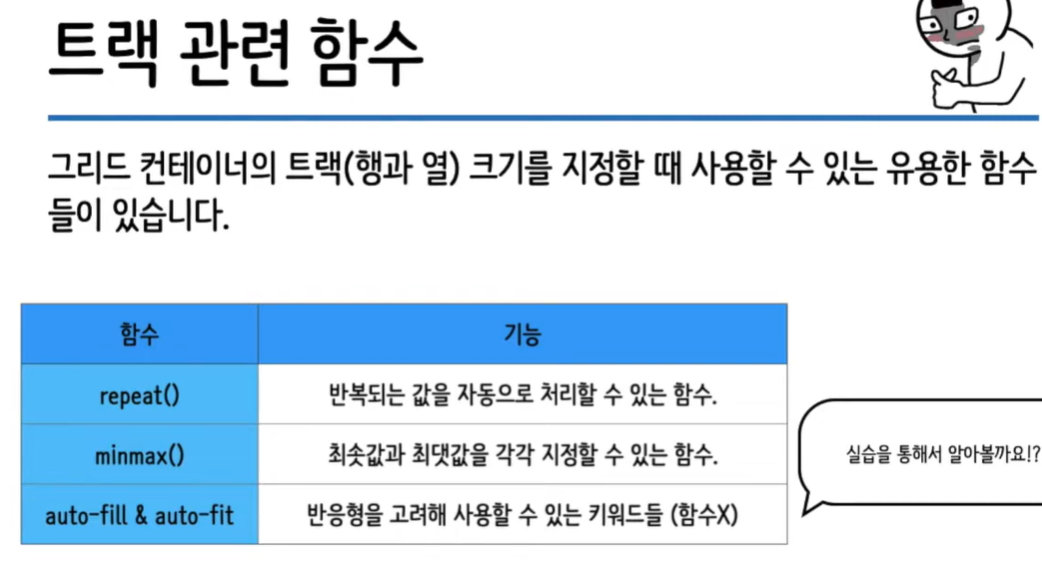
repeat()
grid-template-columns: 100px 100px;
grid-template-columns: repeat(2, 100px); /* 반복되는 부분 repeat 처리 */

grid-template-rows: 1fr 1fr 1fr;
grid-template-rows: repeat(3, 1fr); /* 반복되는 부분 repeat 처리 */
minmax()
grid-template-columns: repeat(2, minmax(100px, 1fr)); auto-fill & auto-fit
/*
최소 길이들의 합보다 컨테이너의 크기가 길어진경우 빈공간을 남긴다.
*/
grid-template-columns: repeat(auto-fill, minmax(100px, auto));

/*
최소 길이들의 합보다 컨테이너의 크기가 길어진경우 빈공간을 채운다.
*/
grid-template-columns: repeat(auto-fit, minmax(100px, auto));
/*
다만 최대값이 정해진 경우 최대값을 넘을 수 없고 넘으면 빈공간이 당연히 생긴다.
*/
grid-template-columns: repeat(auto-fit, minmax(100px, 200px));
grid-column & row
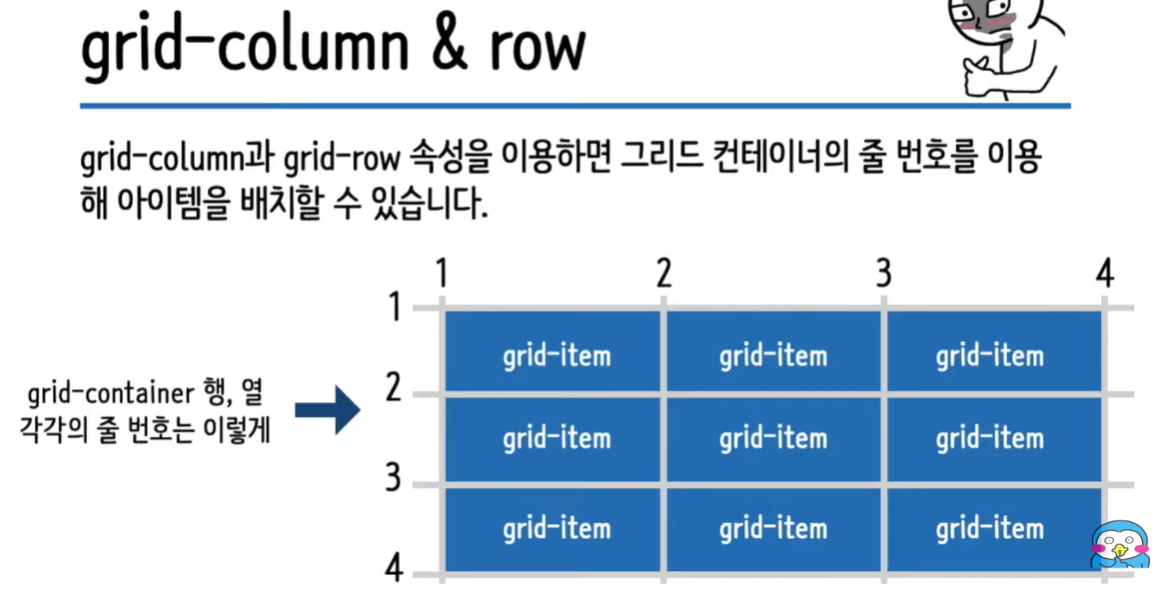
/* 1번째 row부터 3번째 row까지 차지한다. */
grid-row: 1 / 3;
/* 1번째 column부터 4번째 column까지 차지한다. */
grid-column: 1 / 4;

/* 이런식으로도 사용 가능 */
grid-row-start: 1;
grid-row-end: 3;

grid-column-start: 1;
grid-column-end: 4;
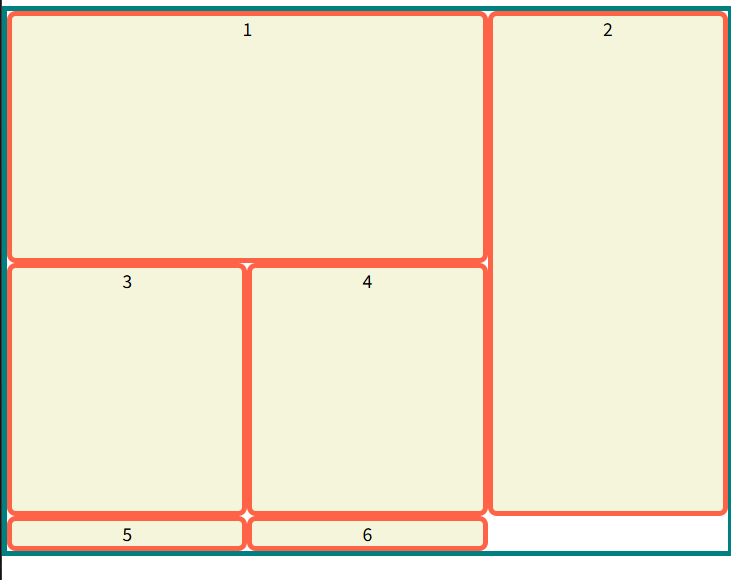
실예제
li:nth-child(1){
  grid-row: 1 / 2;
  grid-column: 1 / 3;
}

li:nth-child(2){
  grid-row: 1 / 3;
}
초기(코드 적용전)

코드 적용 후
grid-template-areas & grid-area

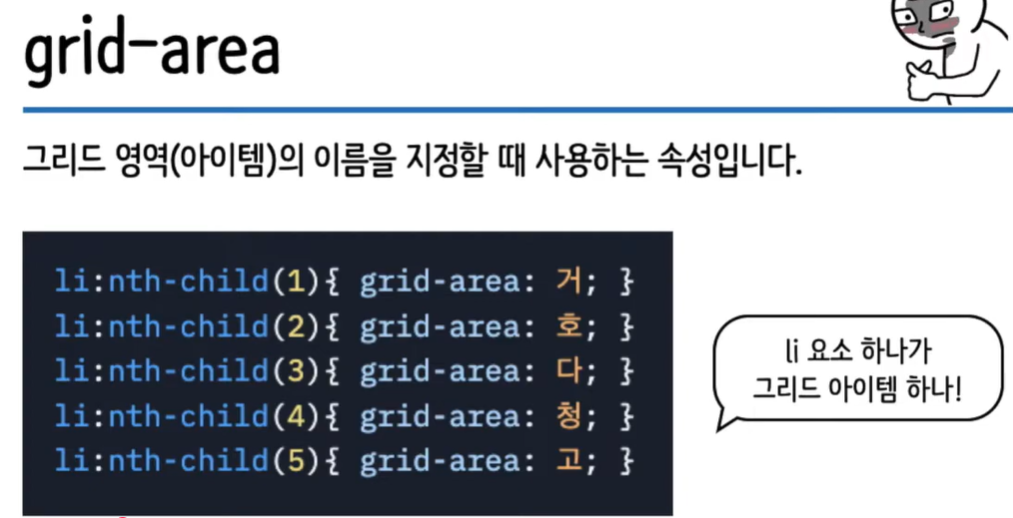
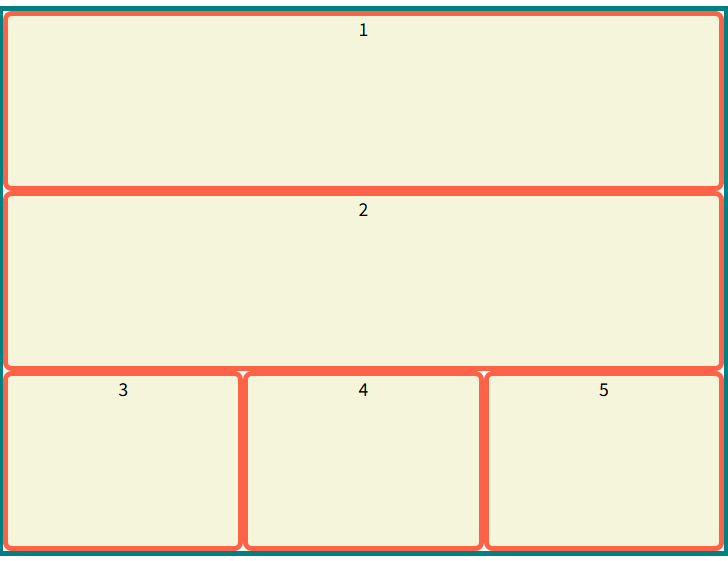
예제
.container{
  display: grid;
  height: 500px;

  grid-template-columns: repeat(3, 1fr);

  grid-template-areas:
  "a a a"
  "b b b"
  "c d e";

 /*
  빈공간으로 남기고 싶다면 .을 찍으면 된다.
  grid-template-areas:
  "a a a"
  "b b ."
  "c d e";

  */
}
li:nth-child(1){
  grid-area: a;
}
li:nth-child(2){
  grid-area: b;
}
li:nth-child(3){
  grid-area: c;
}
li:nth-child(4){
  grid-area: d;
}
li:nth-child(5){
  grid-area: e;
}
align-items
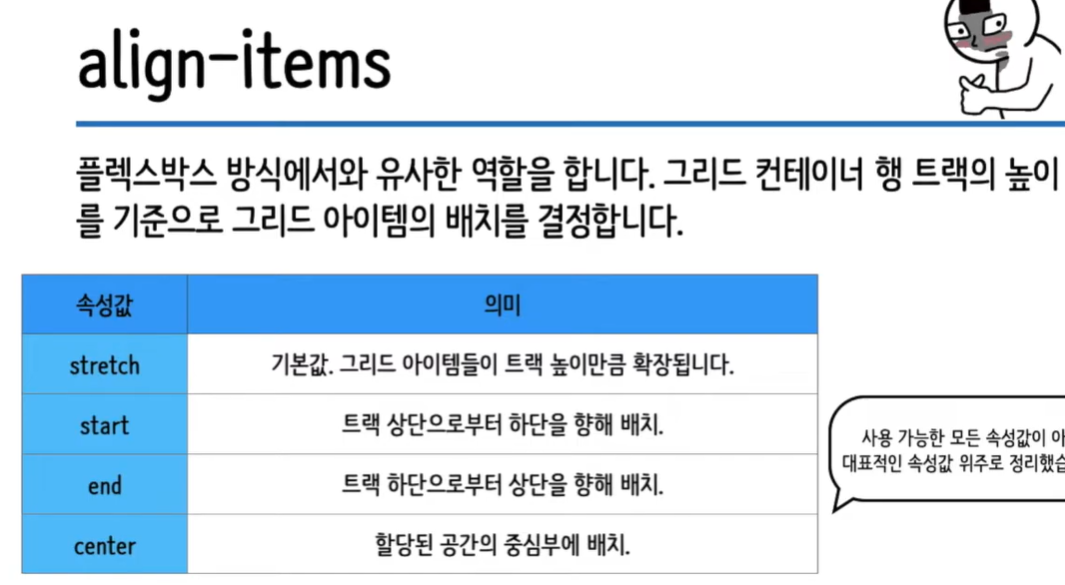
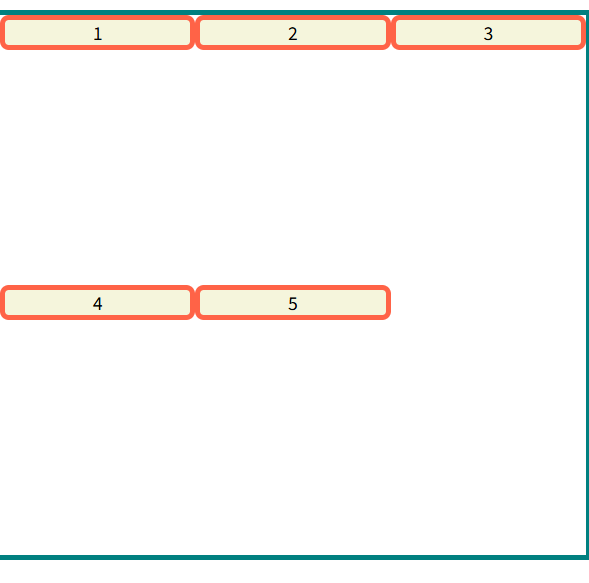
.container{
  display: grid;
  height: 500px;

  grid-template-columns: repeat(3, 1fr);
  grid-template-rows: repeat(2, 1fr);

  align-items: start;

}
align-self
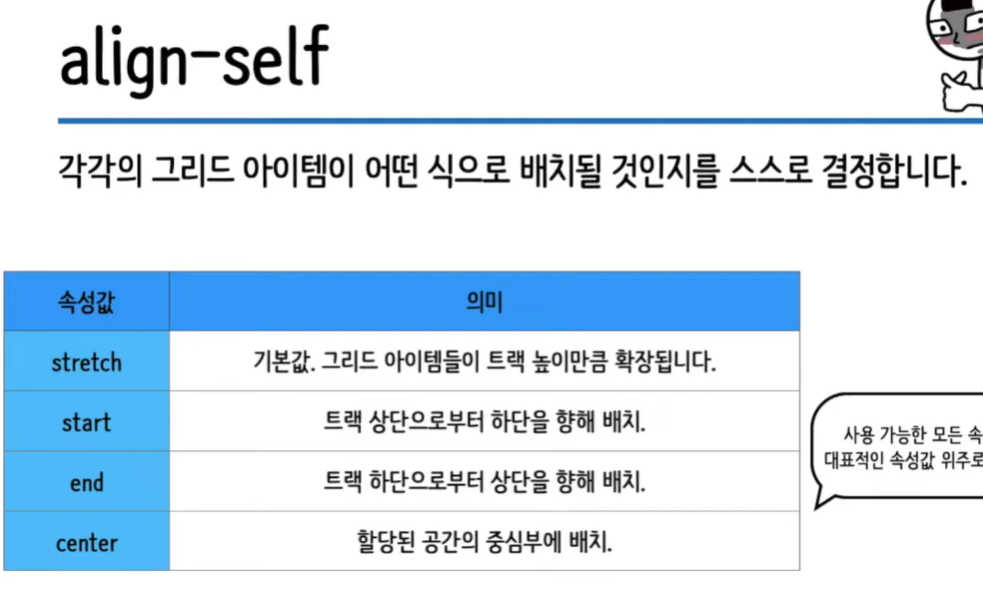
.container{
  display: grid;
  height: 500px;

  grid-template-columns: repeat(3, 1fr);
  grid-template-rows: repeat(2, 1fr);

  align-items: stretch;

}
li:nth-child(1){
}
li:nth-child(2){
  align-self: start;
}
li:nth-child(3){
}
li:nth-child(4){
  align-self: end;
}
li:nth-child(5){
  align-self: center;
}
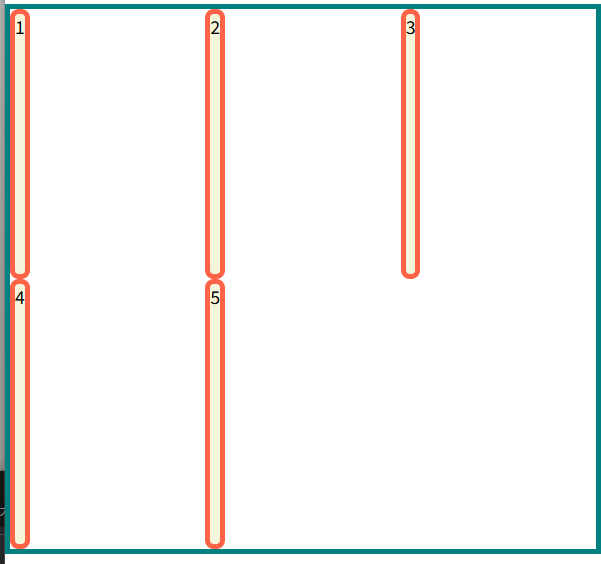
justify-items

.container{
  display: grid;
  height: 500px;

  grid-template-columns: repeat(3, 1fr);
  grid-template-rows: repeat(2, 1fr);

  align-items: stretch;
  justify-items: start;

}
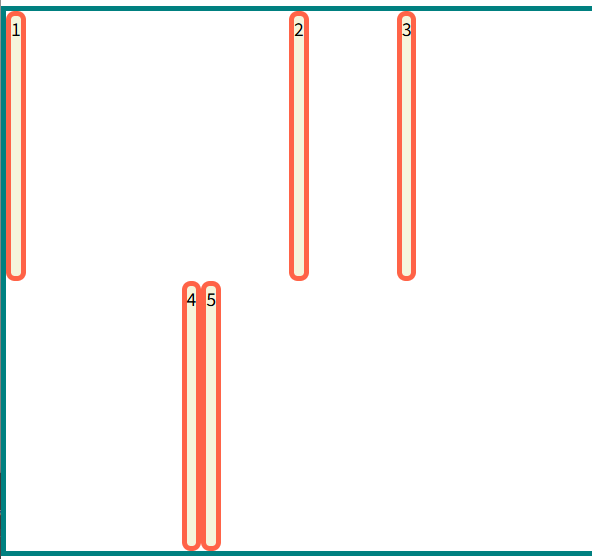
justify-self
.container{
  display: grid;
  height: 500px;

  grid-template-columns: repeat(3, 1fr);
  grid-template-rows: repeat(2, 1fr);

  align-items: stretch;
  justify-items: start;

}
li:nth-child(1){
}
li:nth-child(2){
  justify-self: center;
}
li:nth-child(3){
}
li:nth-child(4){
  justify-self: end;
}
li:nth-child(5){
}
align-content & justify-content
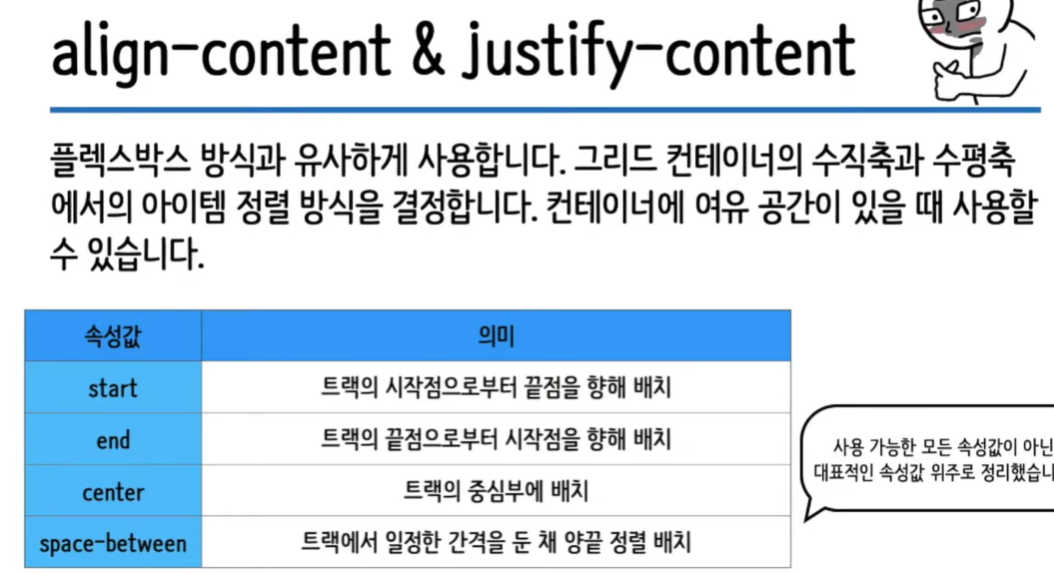
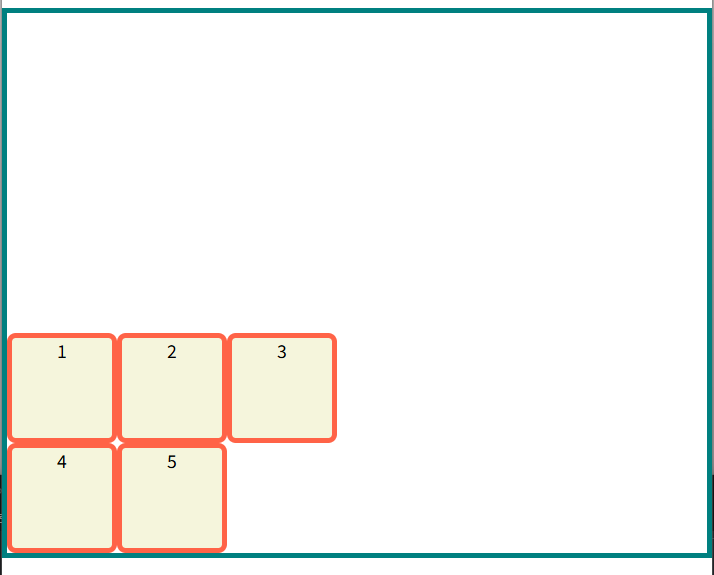
align-content(수평축 기준으로 정렬)
.container{
  display: grid;
  height: 500px;

  grid-template-columns: repeat(3, 100px);
  grid-template-rows: repeat(2, 100px);

  align-content: end;
}
justify-content(수직축 기준으로 정렬)
.container{
  display: grid;
  height: 500px;

  grid-template-columns: repeat(3, 100px);
  grid-template-rows: repeat(2, 100px);

 align-content: space-around;
 justify-content: space-evenly;
}
출처: https://www.youtube.com/watch?v=lV_30YHfiwQ&list=PLFeNz2ojQZjso4ZJVeeMWR72l8s9V8Ym9&index=4
728x90
반응형
LIST
'나의 주니어 개발 일기 > HTML-CSS' 카테고리의 다른 글
| [HTML] 1. Input 태그의 value 값에서 "" 가 포함되어있을때의 문제점 해결 (0) | 2021.10.23 |
|---|---|
| db값을 2중 selectBox 값에 넣기 (0) | 2021.08.31 |
| HTML/CSS 기본 문법들 (1) | 2021.03.15 |
| 색감 및 무료폰트 사이트 (0) | 2021.02.08 |